
MSI Kombustor Download
Download MSI Kombustor for Windows and put your graphics card through demanding stress tests. Check GPU stability, monitor performance, and test your system under load.
What is MSI Kombustor?
MSI Kombustor is MSI’s burn-in benchmarking tool that’s designed to push your graphics card to its limits so you can identify overheating, crashes, or instability issues. Built on the FurMark engine, it supports OpenGL and Vulkan to run heavy, continuous workloads that push the GPU to maximum heat for accurate stress testing and stability checks.
The Kombustor MSI includes multiple test scenarios (over 15) that target different parts of your GPU hardware. They’re available in two modes: demo/stress test mode (runs until the user stops it) and benchmark mode (runs for 60 seconds and displays an MSI Kombustor score). The tool also includes artifact scanning to detect visual glitches. Alongside GPU testing, it includes a CPU burner that loads CPU threads to simulate full system load, mainly for combined stress testing and checking power and cooling balance (not for CPU stress testing). Real-time monitoring shows temperature, clock speeds, and usage.
It is widely used with MSI Afterburner for GPU stability tests. The latest MSI Kombustor v4.1.36 supports NVIDIA GeForce, AMD Radeon, and Intel Arc GPUs. Want to see if your PC’s cooling can survive hours of maximum stress? Use Kombustor to test your GPU stability and check for crashes before you start gaming or rendering. Check out our download page to find the latest working link and steps to get started.
MSI Kombustor-v4.3.1 Free Download
Want to benchmark your GPU, detect artifacts, and track CPU threads under load in one tool? Use MSI Kombustor to run graphics card stress tests that expose stability issues in your PC’s performance. Download Now!
Things to Know About MSI Kombustor
MSI Kombustor is free to use. Here are the key details, features, technology, and compatibility information you should know.
Release Date
The initial version of Kombustor v0.4.0.0 was released on March 29, 2017.
Developer
Created by MSI (Micro-Star International) with Geeks3D, the team behind the FurMark engine.
Used For
Built for GPU stress testing and stability checks. It applies a constant heavy load to expose overheating, crashes, or artifacting. It does not reflect real game FPS, but helps confirm hardware reliability before gaming or rendering.
Latest Version
v4.1.36.0 was released in October 2025, with ongoing updates for newer GPUs and Windows support.
What’s New
Compared to earlier versions, v4.1.36 improves stability by fixing Vulkan issues on Radeon RX 6000 and 7000 GPUs and updating core GeeXLab libraries for more reliable testing on newer hardware.
Core Technology & Compatibility
Based on FurMark, it pushes GPUs toward high thermal and power loads. It supports OpenGL (2/3/4) and Vulkan APIs and works with NVIDIA, AMD, and Intel graphics cards on Windows.
Download MSI Kombustor
Choose the correct MSI Kombustor version for your Windows system. The latest release is recommended for modern 64-bit PCs.
Important: We do not host any files. All download links point to the official MSI Kombustor Geeks3D repository.
Download MSI Kombustor [Latest Version]
| Detail | Information |
|---|---|
| Name | MSI Kombustor |
| Version | v4.1.36 (64-bit) / v2.6.0 (32-bit) |
| Size | 92-1002 MB |
| License | Free |
| Platform | Windows 32-bit / 64-bit |
| Developer | Geeks3D / MSI |
| Official Source | geeks3d.com/furmark/kombustor |
Note! We do not host any files. All download links point to the official MSI Kombustor Geeks3D repository.
How to Download and Install MSI Kombustor [Complete Guide]
Here’s how to download MSI Kombustor and install it correctly on your Windows PC. Before getting started, make sure your system meets the basic requirements below.
System Requirements
| Requirement | Details |
|---|---|
| Operating System | Windows (32-bit or 64-bit) |
| RAM | Minimum 1 GB |
| Storage | 100 MB free space |
| GPU | Any supported graphics card |
Step-by-Step Installation Guide
Follow these simple steps to download, install, and launch MSI Kombustor correctly on your Windows PC or laptop.
Step 1: Download the setup file
Click the Kombustor download. We’ve provided it from the official Geeks3D source.
Download Kombustor ↓Step 2: Check file version and size
The latest version v4.1.36 (92/100 MB) is for 64-bit systems. A smaller legacy version is available for 32-bit setups. Choose the correct version for your PC or laptop.
Step 3: Run the installer
Locate the downloaded .exe file and double-click it. When prompted, click “Run” and allow administrator access to start the installation wizard.
Step 4: Accept setup terms
Agree to the license terms, then continue by clicking “Next.” Choose your installation folder or leave it as the default.
Step 5: Configure install options
Select preferences like a Start Menu shortcut or additional tasks. Adjust settings based on how you want to access MSI Kombustor.
Step 6: Install and launch
Click “Install” to begin. Once completed, open the tool from your desktop or Start Menu.
How does MSI Kombustor work?
MSI Kombustor is a GPU burn-in and benchmarking tool built on the FurMark engine. It renders continuous heavy 3D scenes to push your graphics card to maximum load while tracking temperature, stability, and performance in real time.
The Main Interface
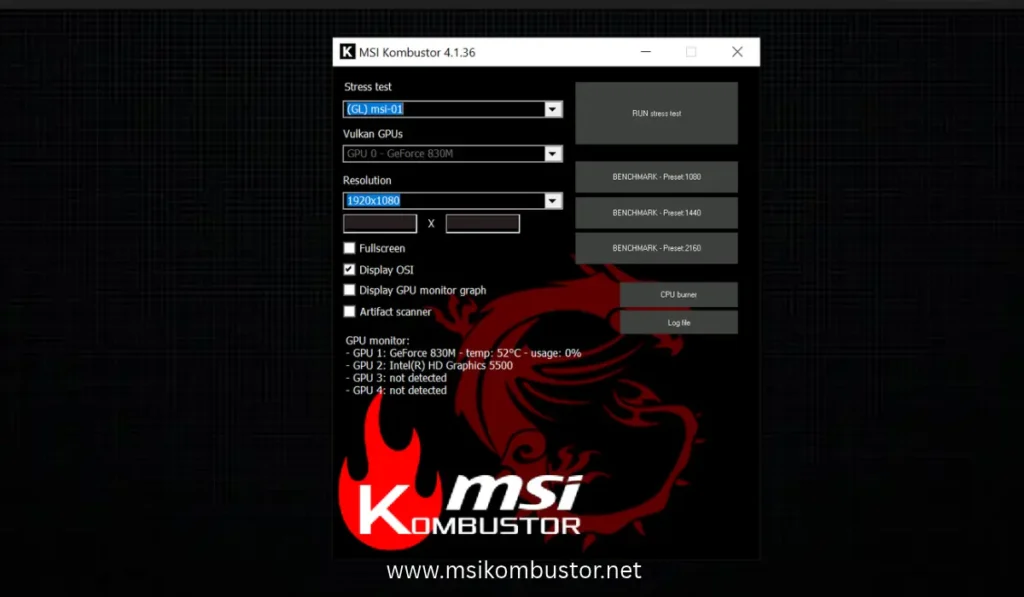
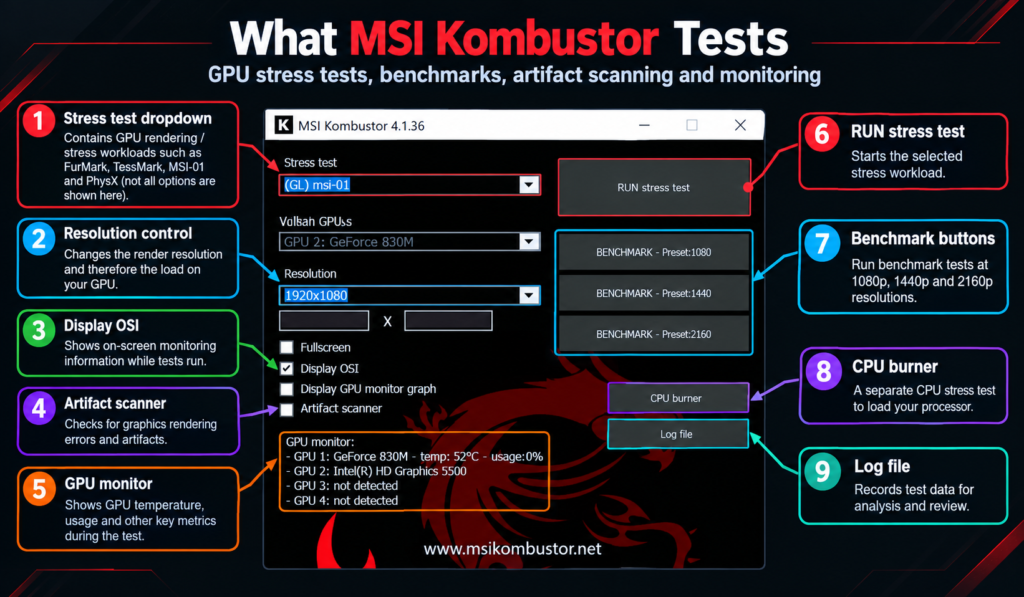
Opening Kombustor gives you a clean window. Select a stress test, pick a resolution, choose OpenGL or Vulkan, and enable fullscreen or windowed mode. Once started, the screen switches to a 3D scene, a spinning donut, MSI logo, or geometric sphere, while live GPU stats display at the bottom. GPU usage will immediately climb to 99–100%.
Graphics Tests
The stress test dropdown gives you over 15 options. Every test name starts with (GL) for OpenGL or (VK) for Vulkan. That prefix tells you which API the test uses before you even run it. Tests fall into three types:
GPU Burner Tests
Tests such as FurMark-Donut and MSI-01 create a heavy GPU workload and generate maximum heat.
VRAM Tests
These tests fill graphics memory to a fixed amount, from 1700MB up to 6500MB, helping expose VRAM instability.
Tessellation & Physics
TessMark and MSI-02 target specific GPU subsystems, including tessellation and physics processing.
For a full breakdown of every test, see our complete MSI Kombustor test types guide.
Modes of Operation
Every test runs in one of two modes.
Stress Test/Demo Mode
This mode runs indefinitely until you press ESC and has no score. Overclockers use it to validate stability after adjusting clock speeds.
Let it run for 15–30 minutes. If nothing crashes, artifacts, or throttles, the GPU is stable under that workload.
Benchmark Mode
Benchmark mode runs for exactly 60 seconds and produces a score based on average FPS across three resolution presets: 1080p, 1440p, and 4K.
A higher score means better performance. However, there is no universal “good” score. Compare results using the same GPU, resolution, and test.
See our benchmark scores guide for a full comparison.
Artifact Scanner
The Artifact Scanner checks every rendered frame for visual errors like flickering, dots, or distortion. The on-screen counter shows current artifacts found and total artifacts for the session.
Any value above 0 means instability, usually caused by high clocks or poor cooling.
Real-Time Monitoring
Kombustor shows live GPU stats during tests, including core temperature, VRAM temperature (NVIDIA), load percentage, fan speed, and power draw.
The GPU monitor graph helps track heat changes and quickly spot thermal throttling under sustained load.
CPU Burner
Many users wonder, “What is MSI Kombustor CPU Burner?” It is a basic CPU stress tool that loads selected threads.
Most users skip it for dedicated CPU tools like Prime95 or OCCT. Its most practical use is running it alongside a GPU stress test to check whether your power supply can handle both components pulling maximum load at the same time.
MSI Kombustor Features
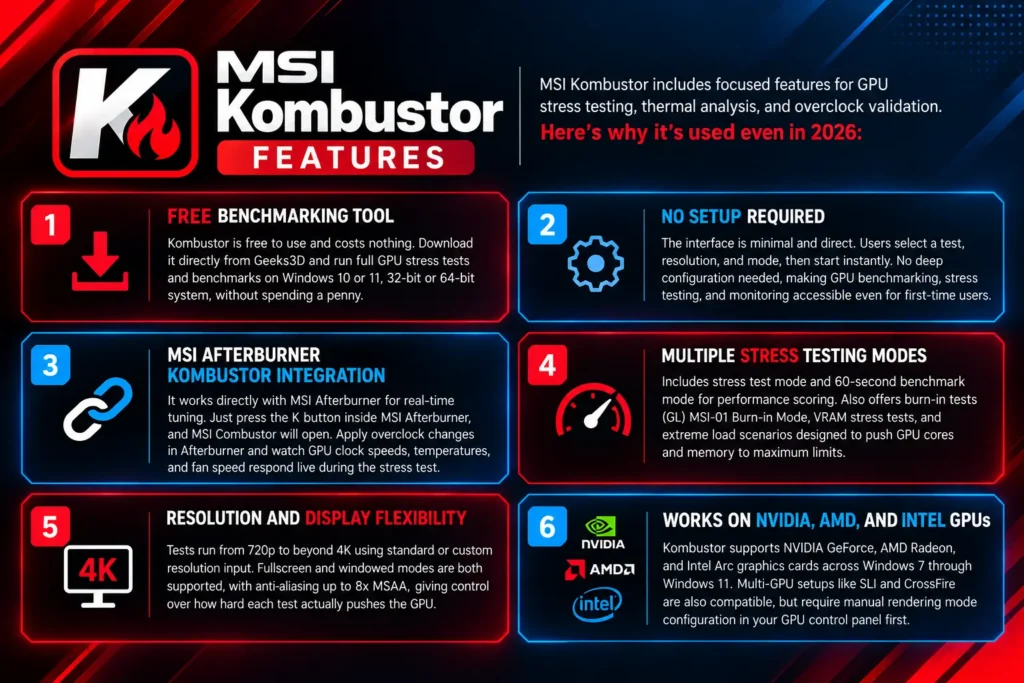
MSI Kombustor includes focused features for GPU stress testing, thermal analysis, and overclock validation. Here’s why it remains useful in 2026:
Free Benchmarking Tool
Kombustor is free to use. Download it from Geeks3D and run GPU stress tests and benchmarks on Windows without paying.
No Setup Required
Choose a test, resolution, and mode, then start. The simple interface makes stress testing and monitoring easy for beginners.
MSI Afterburner Integration
Press the K button in MSI Afterburner to open Kombustor. Watch GPU clocks, temperature, and fan speed while testing your overclock.
Multiple Stress Testing Modes
Use stress test mode or the 60-second benchmark mode. It also includes burn-in, VRAM, and heavy-load tests for GPU testing.
Resolution and Display Flexibility
Run tests from 720p to 4K and use custom resolutions. Fullscreen, windowed mode, and up to 8x MSAA are supported.
Works on NVIDIA, AMD, and Intel GPUs
Kombustor supports NVIDIA GeForce, AMD Radeon, and Intel Arc graphics cards on supported Windows systems. Multi-GPU setups can also be used with the correct rendering configuration.
Why Choose MSI Kombustor For GPU Stress Test?
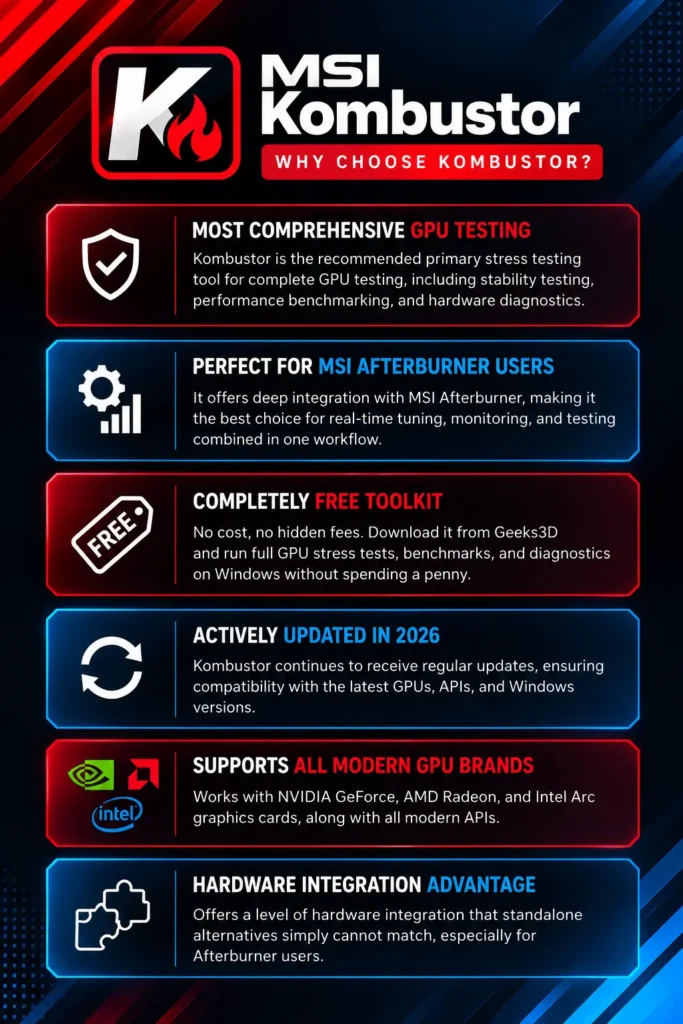
For the most comprehensive GPU testing, MSI Kombustor is a recommended primary stress testing tool, especially for MSI Afterburner users. It is a completely free toolkit covering stability testing, performance benchmarking, and hardware diagnostics.
Comparison/Alternatives Table: Kombustor vs Other GPU Stress Testing Tools
See how MSI Kombustor compares with other popular GPU stress testing and benchmarking tools.
| Feature | MSI Kombustor Our Pick | FurMark | OCCT | Unigine Heaven | 3DMark |
|---|---|---|---|---|---|
| Primary Use | Thermal stress / quick stability | Extreme thermal torture | Stability / error detection | Gaming-like benchmark | Performance benchmarking |
| Load Intensity | High, adjustable and sustained | Very extreme | Balanced, realistic | Moderate | Scenario-based |
| APIs Supported | OpenGL, Vulkan | OpenGL, Vulkan in v2 | DirectX, Vulkan | DirectX, OpenGL | DirectX (DX11/DX12) |
| Test Variety | Multiple modes, basic VRAM and PhysX | Single stress test | Shader, VRAM, 3D tests | Single scene benchmark | Multiple benchmark suites |
| Artifact / Error Detection | Built-in artifact scanner | No | Advanced error detection | No | No |
| Ease of Use | Very simple, no setup | Simple | More complex interface | Simple | Moderate |
| Monitoring | Real-time stats, best with Afterburner | Minimal | Advanced built-in graphs | Basic FPS stats | Detailed analytics |
| Best For | Heat testing, quick validation and artifact troubleshooting | Maximum cooling stress limits | Finding stable overclocks | Gaming stability testing | Comparing GPU performance |
Conclusion
MSI Kombustor remains one of the most reliable free tools for GPU stress testing, overclock validation, and thermal monitoring. Paired with MSI Afterburner, it shows how far your GPU can be pushed under extreme synthetic load, helping identify thermal and stability limits before real-world gaming use. It is built for hardware enthusiasts, overclockers, and new PC builders who want certainty over their system stability.
Frequently Asked Questions
Download MSI Kombustor only from the official Geeks3D source. We’ve provided the official link.
Benchmark mode runs for exactly 60 seconds and displays a score automatically. Stress test mode runs indefinitely until you press ESC manually.
For quick overclock checks, 15 minutes is sufficient. For new builds or full stability validation, run it for 30 minutes. Never exceed 30 minutes unnecessarily.
Kombustor is actively maintained and available via Geeks3D. It remains a widely used GPU stress testing tool, commonly bundled with or launched directly through MSI Afterburner.
Start with (GL) MSI-01 Burn-in Mode or FurMark-Donut at your monitor’s native resolution. Run for 15-30 minutes and watch for artifacts or crashes to confirm GPU stability.
Benchmark mode runs for 60 seconds and produces a score. Stress test mode runs indefinitely with no score and is purely for monitoring crashes, artifacts, and temperature stability over time.
Use your score as a baseline, then compare it against other users running the same GPU. A significantly lower score points to thermal throttling, outdated drivers, or an unstable overclock.
Yes, via the built-in CPU Burner button. It stresses selected processor threads but does not use AVX instructions. For serious CPU stress testing, pair it with Prime95.
Kombustor is safe on any GPU with adequate cooling. If there’s no cooling, it can cause irreversible damage. Monitor temperatures throughout; stop immediately if GPU temps exceed 90°C.
Both share the same FurMark engine. Kombustor adds Afterburner integration, an artifact scanner, VRAM temperature monitoring, and multiple API options, making it the more complete package for overclockers.